Intermediate4h 10m

Full Stack Expense Tracker App with MERN Stack

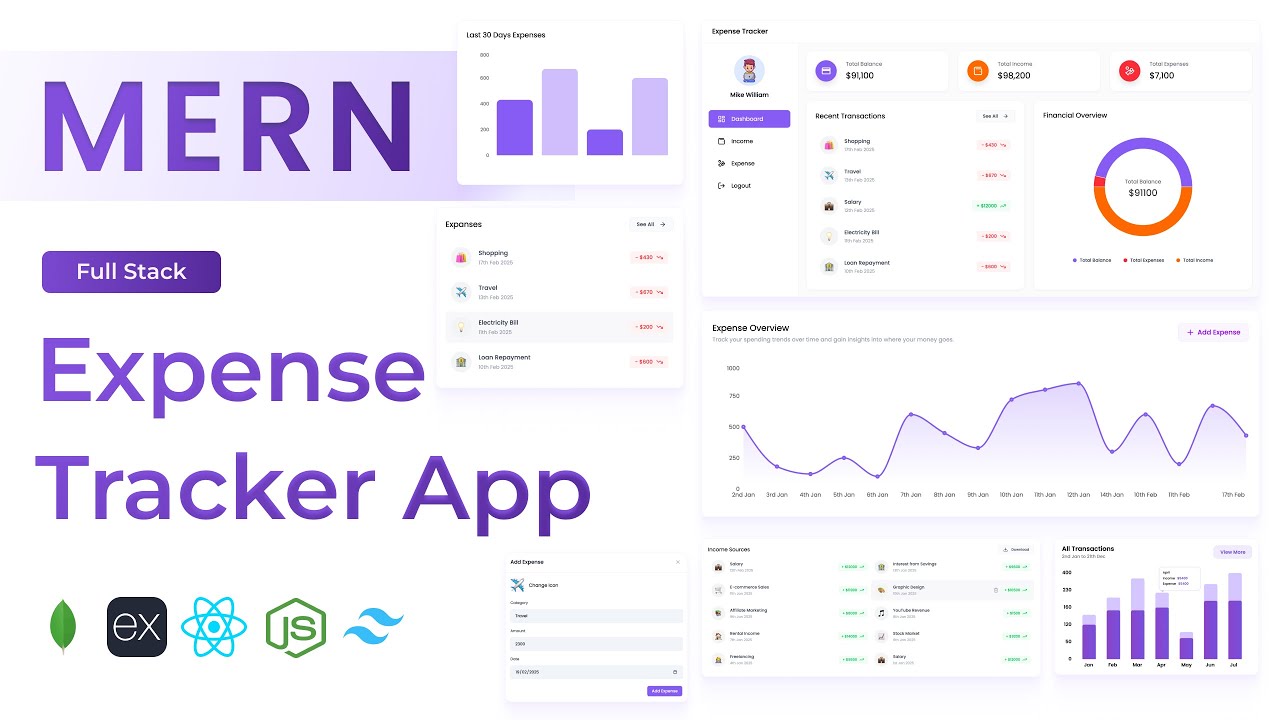
Build a full-stack Expense Tracker application using MongoDB, Express, React, and Node.js. Features JWT authentication, a financial dashboard with bar, pie, and line charts, income and expense management with category tracking, Excel export reports, and a fully responsive sidebar UI — a complete personal finance app built from scratch.
MongoDBExpressReactNode.jsJWTTailwind

What You'll Build

User signup & login with JWT authentication
Profile photo selector during sign-up
Dashboard with total balance, income & expense summary cards
Interactive bar, pie, and line charts for financial overview
Recent transactions section on the dashboard
Add, view, and delete income sources
Add, view, and delete expenses with category tracking
Last 30 days expenses bar chart
Last 60 days income pie chart
Download income & expense data as Excel files
Sidebar navigation — Dashboard, Income, Expenses, Logout
Fully responsive across desktop, tablet, and mobile

What You'll Learn

MERN stack project architecture with Tailwind CSS v4
JWT authentication with React User Context API
MongoDB aggregation for dashboard financial summaries
Building REST APIs for CRUD with Excel export
Integrating bar, pie, and line charts in React
Category-based expense tracking schema design
Axios instance setup with centralised API path config
Profile image upload and display
Sidebar layout with responsive navigation in React
Downloading server-generated Excel files from the frontend

Video Chapters

0:00Demo of Expense Tracker AppChapter 1
8:06Setting up React appChapter 2
10:00Tailwind CSS v4 setupChapter 3
13:33Installing required dependenciesChapter 4
14:47Defining app routesChapter 5
18:21Building the login form UIChapter 6
34:08Building the sign-up form UIChapter 7
38:15Profile photo selector componentChapter 8
45:17Backend project setupChapter 9
51:23Connecting to MongoDBChapter 10
55:50Authentication APIs — login, sign-up, get user, profile image uploadChapter 11
1:19:49Income APIs — add, get all, delete, download ExcelChapter 12
1:34:00Expense APIs — add, get all, delete, download ExcelChapter 13
1:43:03Dashboard APIsChapter 14
1:52:15Defining API paths in apiPath.jsChapter 15
1:54:20Creating Axios instanceChapter 16
1:57:06Integrating the login APIChapter 17
1:59:46Creating user contextChapter 18
2:02:35Integrating the sign-up APIChapter 19
2:09:18Dashboard page layoutChapter 20
2:24:55Fetching dashboard data via APIChapter 21
2:27:13Implementing summary cardsChapter 22
2:32:59Recent transactions sectionChapter 23
2:42:53Financial overview — pie chartChapter 24
2:51:13Expense details sectionChapter 25
2:54:41Last 30 days expenses — bar chartChapter 26
3:00:51Last 60 days income — pie chartChapter 27
3:04:14Income details sectionChapter 28
3:00:00Income overview sectionChapter 29
3:24:31Add income formChapter 30
3:30:11API call to add incomeChapter 31
3:34:24Income list sectionChapter 32
3:40:00API call to delete incomeChapter 33
3:44:54API call to get all expensesChapter 34
3:49:07Expense overview sectionChapter 35
3:56:08Add expense formChapter 36
4:00:05API call to delete expenseChapter 37
4:01:21Expense list sectionChapter 38
4:05:48Downloading expense details as ExcelChapter 39
4:07:33Downloading income details as ExcelChapter 40

Tech Stack

MongoDBStores user accounts, income sources, and expenses as documents with category and date fields for flexible querying.
ExpressPowers the REST API — auth routes, income CRUD, expense CRUD, dashboard aggregation, and Excel download endpoints.
ReactDrives the entire UI — sidebar navigation, dashboard summary cards, charts, income/expense lists, and forms.
Node.jsServer runtime handling API requests, MongoDB connection, and Excel file generation for download.
JWTSecures all protected routes; user context is managed in React via a custom Context API provider.
TailwindTailwind CSS v4 used for a clean, responsive dashboard layout with sidebar navigation across all screen sizes.
💬

Frequently Asked Questions

What makes this project stand out compared to simpler MERN apps?

This project goes beyond basic CRUD — it includes MongoDB aggregation queries for financial summaries, interactive charts (bar, pie, line), Excel file generation and download from the backend, and a multi-page dashboard with sidebar navigation. These are patterns used in real SaaS products.

Which charting library is used for the graphs?

The tutorial uses a React-compatible charting library to render the bar, pie, and line charts. The exact library and its setup are covered from scratch in the dashboard section starting at 2:42:53.

How does the Excel download feature work?

The Express backend generates an Excel file from the MongoDB data using a Node.js Excel library and sends it as a downloadable response. The frontend triggers this via an Axios call and handles the file blob — all covered in the tutorial.

What prior knowledge do I need?

Comfort with basic React (components, useState, useEffect) and Express routes is recommended. If you have completed a beginner MERN project like the Notes App, you are well prepared for this one.

Does this project use Tailwind CSS v4?

Yes — this is one of the few tutorials that uses Tailwind CSS v4, which has a different setup process from v3. The Tailwind v4 installation and configuration are covered step by step at 10:00.

What is included in the source code?

You get the full React frontend, Express backend, Mongoose models, apiPath.js config, a .env.example, and a README with local setup and deployment instructions.