Intermediate1h 35m11K views

Full Stack AI Expense Tracker App with PERN Stack

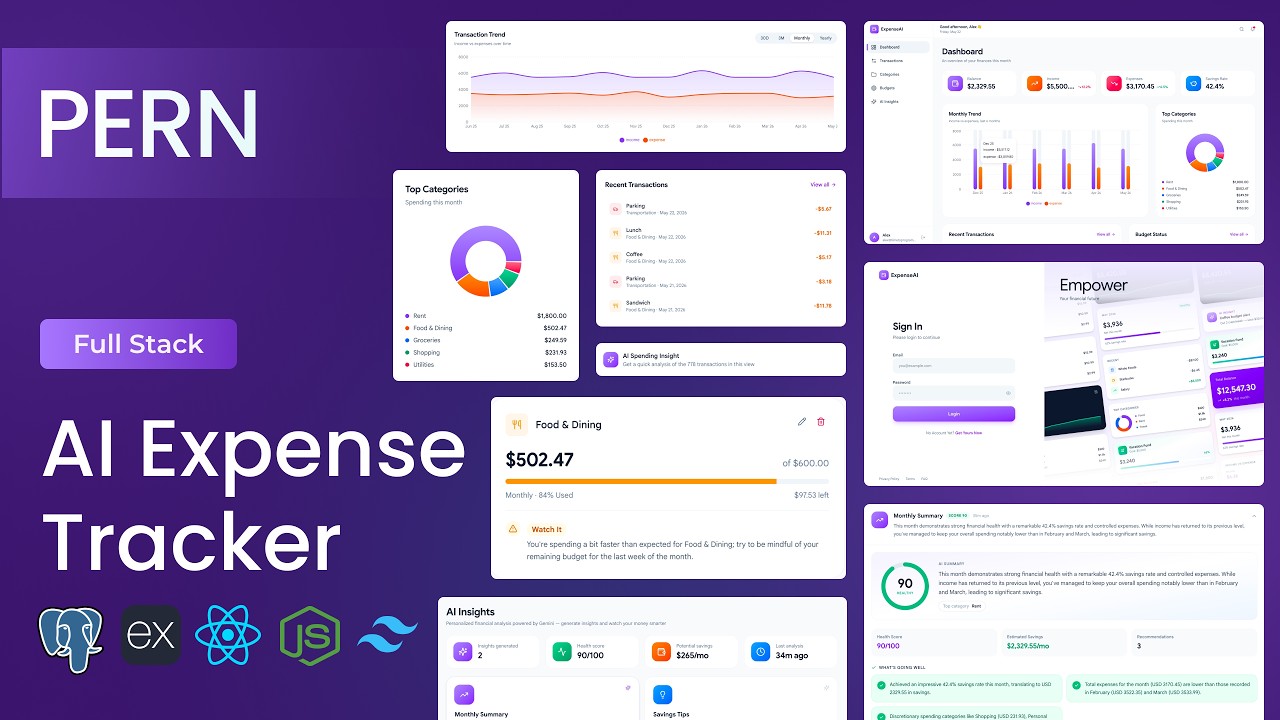
Build a full-stack AI Expense Tracker with the PERN stack. Track income and expenses, auto-categorise transactions with Google Gemini AI, set budgets, and visualise spending — with JWT auth, PostgreSQL, Express & React + Tailwind. Full source code included.
PostgreSQLExpressReactNode.jsGemini APIJWTTailwind

What You'll Build

Track income & expenses
AI transaction categorisation (Gemini)
Budgets with overspend alerts
Category & monthly spending analytics
Interactive charts & dashboards
JWT authentication & protected routes
PostgreSQL + Express REST API
Responsive React + Tailwind UI

What You'll Learn

Building a full-stack PERN app end to end
Integrating Gemini AI for categorisation
Designing a PostgreSQL schema for finance data
Charts & data visualisation in React
JWT authentication flow
Budget logic & alerting

Video Chapters

0:00Demo of AI Expense Tracker AppChapter 1
14:18Cloning the Boilerplate & Installing DependenciesChapter 2
15:06Project Structure WalkthroughChapter 3
19:21Backend Project Setup & Folder StructureChapter 4
22:45Connecting to Neon Serverless PostgresChapter 5
25:23Creating the SQL Schema (Users, Categories, Transactions, Budgets, AI Insights)Chapter 6
27:27Building the Migration ScriptChapter 7
32:15Building Authentication APIs (Register, Login, Get Profile)Chapter 8
35:24Auth Middleware (JWT Verification)Chapter 9
40:25Building Category APIs (Create, List, Update, Delete)Chapter 10
47:55Building Transaction APIs (Create, List with Filters, Update, Delete)Chapter 11
56:36Building Budget APIs (Create, List with Spending Join, Update, Delete)Chapter 12
1:02:41Building Dashboard APIs (Summary, Monthly Trend, Category Breakdown)Chapter 13
1:10:03Setting Up the Gemini SDK & Service WrapperChapter 14
1:13:58AI Building AI Insight APIsChapter 15
1:21:23Setting Up the Real Axios Client & JWT InterceptorChapter 16
1:23:47Connecting Every Page to the Live BackendChapter 17
1:27:45Building the Seed Script for Rich Sample DataChapter 18
1:31:51Final Walkthrough & Next StepsChapter 19

Tech Stack

PostgreSQLRelational database storing income, expenses and budgets in a normalized SQL schema.
ExpressPowers the REST API — authentication, CRUD routes and business logic.
ReactBuilds the interactive dashboard UI and all client-side state.
Node.jsServer runtime that runs the Express API and connects to the database.
Gemini APIGoogle's LLM powering the app's AI features.
JWTSecures API routes with token-based authentication.
TailwindUtility-first CSS for a clean, responsive interface.
💬

Frequently Asked Questions

What will I build in this tutorial?

A full-stack AI expense tracker with the PERN stack — track income and expenses, auto-categorise transactions with Google Gemini, set budgets, and visualise spending with charts.

Do I get the full source code?

Yes. The complete PERN source code is included via Buy Me a Coffee, with a .env setup guide, commented code and deployment instructions.

Is the YouTube tutorial free?

Yes — the full build is free on YouTube. The paid download gives you the finished, ready-to-run source code.

What tech stack does it use?

PostgreSQL, Express, React and Node.js with Google Gemini AI, JWT authentication and Tailwind CSS.