Intermediate3h 13m

Full Stack AI-Powered Interview Prep App with MERN Stack

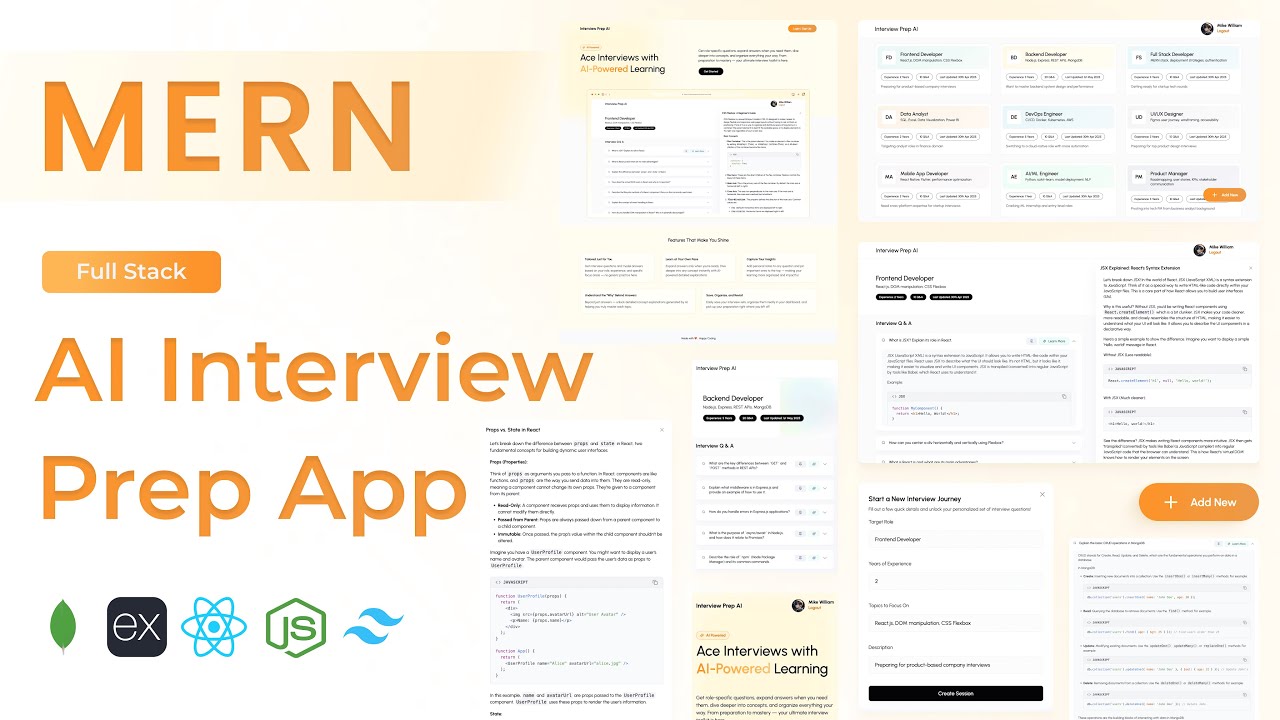
Build a full-stack AI-powered Interview Preparation application using MongoDB, Express, React, and Node.js. Integrates Google Gemini API to automatically generate role-based technical interview questions and on-demand concept explanations. Features JWT authentication, pinnable Q&A cards, accordion learning UI, session management, and a clean responsive dashboard — a standout AI-integrated MERN project for your portfolio.
MongoDBExpressReactNode.jsJWTGemini APITailwind

What You'll Build

User registration & login with JWT authentication
Create interview sessions by job role and experience level
AI-generated technical interview questions via Gemini API
AI-generated concept explanations on demand
Accordion Q&A UI for a clean, focused study flow
Pin important questions to the top of the list
Load more functionality for paginated Q&A browsing
Session dashboard with summary cards
Fetch and review any past session by ID
Delete sessions you no longer need
Profile image upload and user context management
Responsive UI across desktop, tablet, and mobile

What You'll Learn

Integrating Google Gemini API from a Node.js backend
Designing three-schema MongoDB architecture — users, sessions, questions
Securing AI API keys server-side with Express proxy endpoints
Building an accordion Q&A component in React from scratch
Rendering structured AI responses in a custom UI component
Pin-to-top logic for dynamic list reordering in React
Session-based data architecture for AI-generated content
User Context Provider pattern for global auth state
Load more / pagination pattern in React
Tailwind CSS v4 project setup and layout design

Video Chapters

0:00Demo of Interview Prep AI AppChapter 1
7:28Setting up React appChapter 2
9:30Tailwind CSS v4 setupChapter 3
11:15Creating project structure — files & foldersChapter 4
12:37Installing required librariesChapter 5
15:24Defining app routesChapter 6
17:42Creating landing page UIChapter 7
32:09Building login popup form UIChapter 8
38:13Building sign-up popup form UIChapter 9
49:59Backend project setupChapter 10
53:00Creating project structure — files & foldersChapter 11
56:35Defining User MongoDB schemaChapter 12
57:20Defining Question MongoDB schemaChapter 13
58:06Defining Session MongoDB schemaChapter 14
59:11Connecting to MongoDBChapter 15
1:04:24Authentication APIs — login, sign-up, profile info, image uploadChapter 16
1:19:48Session APIs — create, get all, get by ID, deleteChapter 17
1:29:03Question APIs — add question, pin a questionChapter 18
1:37:25AI APIs — generate interview questions & concept explanationsChapter 19
1:45:32Defining API pathsChapter 20
1:45:53Creating Axios instanceChapter 21
1:47:55Integrating login APIChapter 22
1:49:32Creating User Context ProviderChapter 23
1:57:35Integrating sign-up APIChapter 24
2:02:39Creating dashboard layoutChapter 25
2:08:18Fetching all sessions from backendChapter 26
2:10:32Dashboard summary card UIChapter 27
2:17:40Creating session form popupChapter 28
2:23:35API call to create new sessionChapter 29
2:27:31Building Interview Prep page UIChapter 30
2:35:00Fetching session details by IDChapter 31
2:39:15Interview Q&A card UIChapter 32
2:45:00UI component to render AI responseChapter 33
2:54:41Pin Q&A card to top of listChapter 34
2:57:52Generate concept explanation using AIChapter 35
3:05:11Implementing load more functionalityChapter 36
3:10:07Implementing delete session functionalityChapter 37

Tech Stack

MongoDBStores users, interview sessions, and generated Q&A questions across three separate schemas for clean data separation.
ExpressPowers the REST API — auth, session CRUD, question management, pin toggling, and AI generation endpoints.
ReactDrives the full UI — dashboard, session cards, accordion Q&A viewer, AI response renderer, and pin management.
Node.jsServer runtime handling API requests, MongoDB connection, and proxying calls to the Gemini API securely from the backend.
JWTSecures all protected routes; session state is managed in React via a custom User Context Provider.
Gemini APIGoogle's Gemini LLM generates tailored interview questions by role and experience level, and produces on-demand concept explanations.
TailwindTailwind CSS v4 used for the landing page, dashboard layout, accordion Q&A cards, and responsive session UI.
💬

Frequently Asked Questions

Do I need a paid Google Gemini API account?

No — Google Gemini offers a free tier with generous request limits that are more than sufficient for building and testing this project. You just need a Google account to generate a free API key from Google AI Studio.

How are the AI-generated questions tailored to a specific role?

When creating a session, the user inputs their target job role and experience level. These are sent to the Express backend, which constructs a structured prompt and calls the Gemini API. The returned questions are then saved to MongoDB and displayed in the session.

Why is the Gemini API called from the backend instead of directly from React?

Calling the Gemini API from the frontend would expose your API key in the browser — a major security risk. The Express backend acts as a secure proxy, keeping the API key in the server's .env file and out of the client.

What is the concept explanation feature?

On any Q&A card, users can request a deeper breakdown of the concept behind the question. This triggers a second Gemini API call with a focused explanation prompt, and the response is rendered inline below the question in the accordion UI.

What prior knowledge do I need?

Intermediate MERN experience is recommended — auth with JWT, React context, and Express API design. Having completed a project like the Notes App or Travel Story App will make the first half straightforward. The AI integration section is covered from scratch.

What is included in the source code?

You get the full React frontend, Express backend, three Mongoose schemas (users, sessions, questions), AI API utility functions, a .env.example with all required keys, and a README with local setup and deployment instructions.