Advanced6h 35m

Full Stack MERN Blog App with Markdown & AI Post Generator

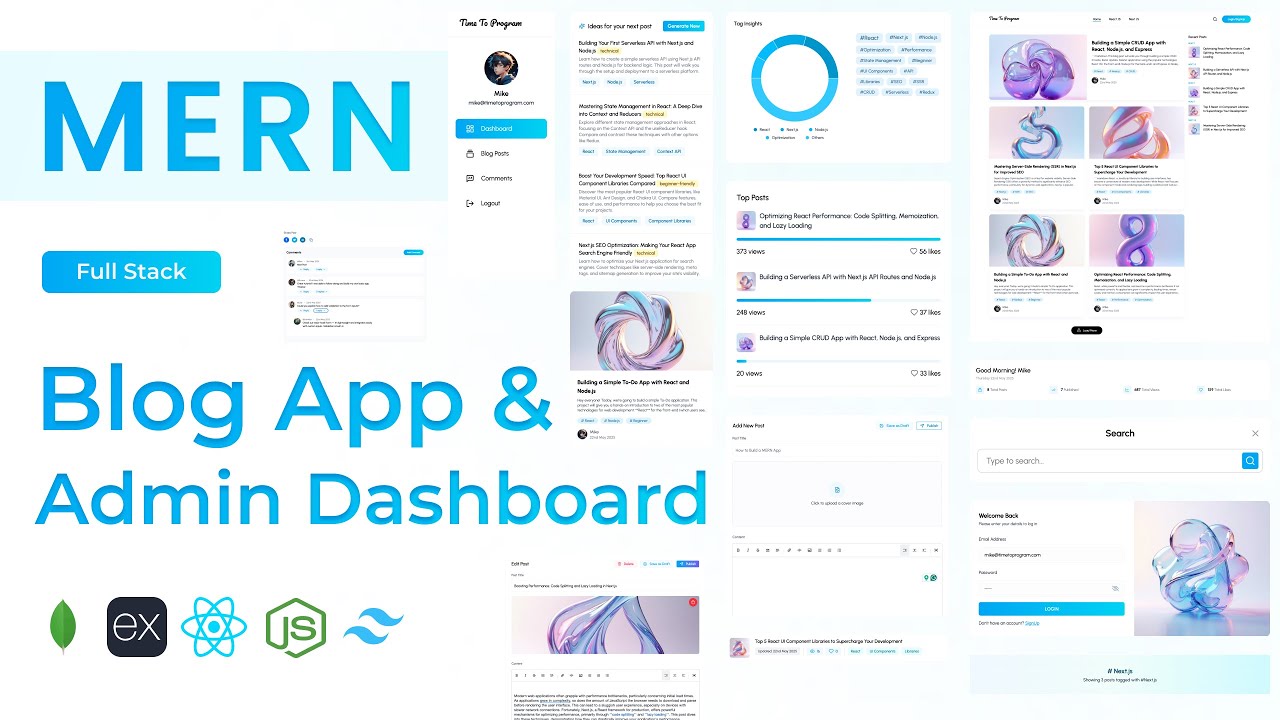
Build a full-stack Blog application using MongoDB, Express, React, and Node.js. Features AI-powered blog post generation and comment replies via Gemini API, full markdown support with live syntax highlighting, slug-based URLs, tag filtering, real-time search, a post view counter, like/clap button, draft and publish toggle, admin dashboard with analytics, and a comments section — the most feature-complete project in the series.
MongoDBExpressReactNode.jsJWTGemini APITailwind

What You'll Build

User sign-up & login with JWT and bcrypt
Role-based private routes — admin dashboard access only
Create, edit, and delete blog posts with cover image and slug-based URLs
Markdown editor with live syntax highlighting
AI blog post generator — generate a full post from a title
AI blog post idea suggestions
AI-generated comment reply suggestions
AI post summary generator on the blog post page
Draft and publish toggle for post management
Tag-based filtering and Posts By Tag page
Real-time blog search by title or content
Post view counter tracking
Like / Clap button for reader engagement
Comments section with add and delete functionality
Admin dashboard — summary analytics, tag insights, top posts, recent comments
Pagination (load more) for blog post listings
Share post component
Featured post and trending posts sections on landing page
Fully responsive for desktop and mobile

What You'll Learn

Full-stack blog architecture with admin and public views from a single React app
Markdown editor and renderer integration in React
Slug-based URL routing in Express and React Router
Multiple Gemini AI integrations — post generation, ideas, replies, summaries
Role-based private route protection in React
Draft vs published post state management
Tag system design — creation, storage, and filter routing
Real-time search implementation on the frontend and backend
Post view counter with debounce to avoid duplicate counts
Like / clap button with optimistic UI update
Comment section with nested AI reply generation
Admin dashboard with aggregated analytics APIs
Pagination pattern with load more in React
Tailwind CSS v4 blog layout with shared Blog Layout component

Video Chapters

0:00Demo of Blog App and Admin DashboardChapter 1
13:53Setting up React appChapter 2
15:52Tailwind CSS v4 setupChapter 3
19:35Installing required librariesChapter 4
20:29Creating project structure — files & foldersChapter 5
24:08Defining app routesChapter 6
28:45Creating blog layoutChapter 7
48:16Backend project setup & project structureChapter 8
51:46Defining User MongoDB schemaChapter 9
52:48Defining Blog Post MongoDB schemaChapter 10
54:11Defining Comments MongoDB schemaChapter 11
55:13Connecting to MongoDBChapter 12
1:01:46Authentication APIs — login, sign-up, profile info, image uploadChapter 13
1:17:24Blog Post APIs — create, update, delete, search, etc.Chapter 14
1:37:57Comments APIs — add, delete, get commentsChapter 15
1:50:02Dashboard summary APIChapter 16
1:55:23AI APIs — generate blog post, blog ideas, comment replyChapter 17
2:08:19Defining API pathsChapter 18
2:09:12Creating Axios instanceChapter 19
2:12:53Creating User ContextChapter 20
2:19:47Creating login componentChapter 21
2:31:06Implementing role-based private routesChapter 22
2:32:31Creating sign-up componentChapter 23
2:38:42Profile image upload componentChapter 24
2:48:48Navbar profile info componentChapter 25
3:03:39Creating dashboard layoutChapter 26
3:10:40Dashboard summary sectionChapter 27
3:19:20Tag insights sectionChapter 28
3:28:36Top posts sectionChapter 29
3:34:16Recent comments sectionChapter 30
3:37:53Creating blog posts pageChapter 31
3:48:36Blog post summary cardChapter 32
3:55:28Delete blog post functionalityChapter 33
3:59:52Load more posts — paginationChapter 34
4:00:22Blog post editor pageChapter 35
4:16:31Markdown editor componentChapter 36
4:19:16Tag input componentChapter 37
4:23:05AI blog post ideas sectionChapter 38
4:30:24Generate blog post componentChapter 39
4:38:35Publish or save blog post to draftChapter 40
4:45:23Edit blog postChapter 41
4:51:32Manage comments pageChapter 42
5:05:02Generate AI reply for commentChapter 43
5:10:22Add comment functionChapter 44
5:12:08Delete comment functionChapter 45
5:15:12Blog landing pageChapter 46
5:19:51Featured blog post componentChapter 47
5:24:40Blog post info cardChapter 48
5:27:55Trending posts sectionChapter 49
5:32:53Blog post pageChapter 50
5:42:25Markdown renderer componentChapter 51
5:53:13Share post componentChapter 52
5:56:32Comments sectionChapter 53
6:11:12Generate blog post summary using AIChapter 54
6:16:24Posts by tag pageChapter 55
6:21:39Blog post search implementationChapter 56
6:30:05Like & comment floating buttonChapter 57

Tech Stack

MongoDBThree-schema architecture — users, blog posts (with slug, tags, draft status, view count), and comments — for a clean, scalable data model.
ExpressPowers the full REST API — auth, blog CRUD with slug routing, search, comments, dashboard summary, and AI generation endpoints.
ReactDrives both the public blog site and the admin dashboard — markdown editor, tag input, AI generator panel, comment section, and share component.
Node.jsServer runtime handling all API requests, MongoDB connection, view counter increments, and secure Gemini API proxy calls.
JWTSecures auth and admin routes; role-based private routes on the frontend prevent non-admin access to the dashboard.
Gemini APIGenerates full markdown-formatted blog posts from a title, suggests blog post ideas, produces AI comment replies, and summarises posts on demand.
TailwindTailwind CSS v4 used for both the public blog layout and the admin dashboard, with a shared Blog Layout component wrapping the entire frontend.
💬

Frequently Asked Questions

What makes this different from the AI Interview Prep App?

This project uses AI in four distinct ways — post generation, idea suggestions, comment reply drafting, and post summarisation — making it a much deeper exploration of Gemini API integration. It also adds a full public-facing blog site alongside the admin dashboard, slug-based routing, markdown rendering, a view counter, and a like/clap system.

How does the AI blog post generator work?

The admin enters a blog post title, which is sent to the Express backend. The backend constructs a prompt instructing Gemini to return a fully formatted markdown blog post, which is then inserted directly into the markdown editor — ready to edit and publish.

How is markdown rendered on the public blog post page?

A dedicated Markdown Renderer component parses the stored markdown string and renders it as HTML with syntax-highlighted code blocks. This is built from scratch in the tutorial at 5:42:25.

How does the draft and publish toggle work?

Each blog post document in MongoDB has a status field (draft or published). The editor UI includes a toggle that updates this field via the Express API. Draft posts appear only in the admin dashboard and are hidden from the public blog.

What prior knowledge do I need for this project?

This is the most advanced project in the series. Completing an intermediate MERN project like the Task Manager or Resume Builder first is strongly recommended. Familiarity with React context, JWT auth, and Express route design will make the first two hours straightforward.

What is included in the source code?

You get the complete React frontend (admin dashboard + public blog site), Express backend, three Mongoose schemas, all AI utility functions, API path config, a .env.example with all required keys, and a README with local setup and deployment instructions.