Responsive Developer Portfolio with React, Tailwind CSS & Framer Motion
Build a stunning, fully responsive developer portfolio website using React.js, Tailwind CSS, and Framer Motion. Features a seamless dark/light mode toggle with React Context, animated skill bars, interactive project cards, a developer journey timeline, a contact form with a success modal, and smooth scroll animations throughout — the perfect portfolio to land your next developer job or freelance client.
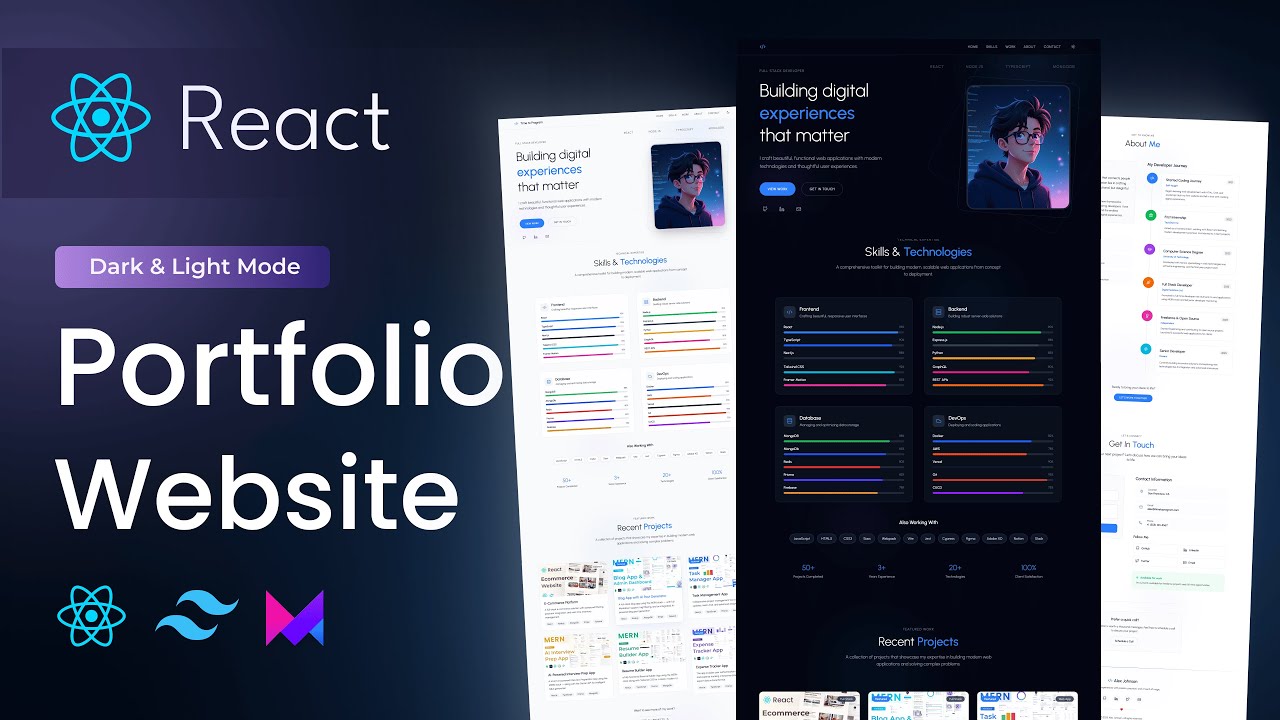
What You'll Build
What You'll Learn
Video Chapters
Tech Stack
Frequently Asked Questions
How is this different from the first React portfolio tutorial on the channel?
This version adds dark/light mode with React Context, Framer Motion animations throughout every section, a developer journey timeline, a success popup modal after form submission, and a Schedule a Call section. It is a significant step up in design polish and interactivity.
Can I use this as my actual developer portfolio?
Yes — that is the primary goal. The source code is clean, modular, and easy to customise. Swap in your own name, skills, projects, and links and you can have a live portfolio deployed in an afternoon.
How does the dark / light mode work?
A Theme Context Provider wraps the entire app and stores the current mode in React state. Tailwind CSS v4 dark mode utility classes respond to a data attribute on the root element, toggled by the context — no third-party library needed.
Do I need prior Framer Motion experience?
No. The tutorial introduces Framer Motion from scratch — covering animate, whileInView, transition, and variants as each animated section is built. The skill bar animations and section reveals are explained step by step.
Is the contact form functional?
The tutorial builds the complete form UI with validation and a success modal. To send real emails you can connect it to EmailJS or Formspree after — both are free and take about 10 minutes to add.
What is included in the source code?
You get the complete React + Vite project with all components, Theme Context, Tailwind config, Framer Motion animations, and a README with setup instructions. Just replace the placeholder content with your own details.