Beginner1h 23m

Responsive Portfolio Website with React JS & Tailwind CSS

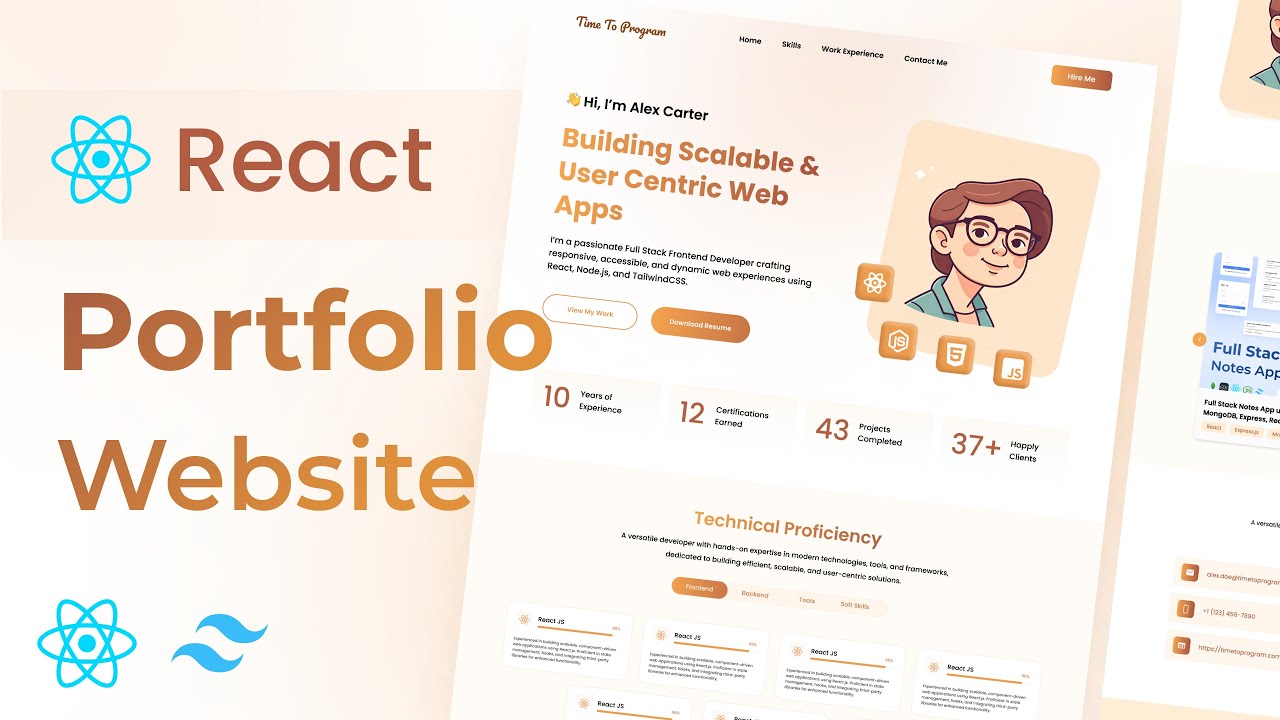
Build a clean, modern, and fully responsive developer portfolio website using React.js and Tailwind CSS. Includes an animated skill cards section with Framer Motion, a custom tabs component, project showcase, contact form, and a professional hero section — ready to deploy and use as your own portfolio.
ReactTailwindFramer Motion

What You'll Build

Responsive navbar with smooth section navigation
Hero section with professional intro and call-to-action
Stats info cards highlighting key achievements
Technical proficiency section with custom tabs component
Animated skill cards using Framer Motion
About Me section with personal introduction
Projects showcase section
Contact Me form section
Minimalistic footer bar
Fully responsive across mobile, tablet, and desktop

What You'll Learn

React project setup with Vite
Tailwind CSS v3 installation and configuration
Building reusable React components from scratch
Creating a custom tabs component without any library
Framer Motion basics — animate, transition, and variants
Responsive layout design with Tailwind breakpoints
Component composition and props passing in React
Structuring a multi-section single-page application

Video Chapters

0:00Demo of responsive portfolio websiteChapter 1
2:53Setting up React projectChapter 2
5:01Setting up Tailwind CSSChapter 3
11:02Creating the NavbarChapter 4
23:52Creating the Hero sectionChapter 5
36:21Adding stats info cardsChapter 6
39:12Technical proficiency (skills) sectionChapter 7
41:48Building a custom tabs componentChapter 8
47:14Creating the SkillCard componentChapter 9
50:32Animating skill cards with Framer MotionChapter 10
55:27Creating the About Me sectionChapter 11
1:00:54Creating the My Projects sectionChapter 12
1:13:15Creating the Contact Me sectionChapter 13
1:21:57Building the Footer sectionChapter 14

Tech Stack

ReactComponent-based architecture for building reusable UI sections like Navbar, Hero, Skills, and Projects.
TailwindUtility-first CSS for rapid, responsive layout design without writing a single line of custom CSS.
Framer MotionAdds smooth entrance animations to skill cards, making the portfolio feel polished and professional.
💬

Frequently Asked Questions

Is this project suitable for absolute beginners?

Yes — this is one of the most beginner-friendly projects in the series. Basic HTML and JavaScript knowledge is enough. React and Tailwind are introduced from the very first setup step.

Can I use this as my actual developer portfolio?

Absolutely — that is the primary goal. The source code is clean and modular, so you can swap in your own name, skills, projects, and links and have a live portfolio ready in an afternoon.

Do I need prior Tailwind CSS experience?

No. Tailwind is set up from scratch in the tutorial and every utility class is explained as it is used.

What is Framer Motion and do I need to learn it separately?

Framer Motion is a React animation library. The tutorial covers everything you need — animate, transition, and variants — specifically for the skill card animations. No prior animation experience required.

Is the contact form functional?

The tutorial builds the contact form UI. To make it send real emails you can connect it to a service like EmailJS or Formspree — both are free and straightforward to add after completing the tutorial.

What is included in the source code?

You get the complete React + Vite project with all components, Tailwind config, and a README with setup instructions. Just replace the placeholder content with your own details.